ZAMP
Application qui installe et gère un environnement de développement local avec Apache, MySQL et PHP en un clic. Manipulation automatisée des services pour simplifier l'expérience utilisateur.

L’histoire derrière ZAMP
Lorsque j'ai commencé le développement web et à faire du PHP, j’ai toujours utilisé UwAmp. C’est léger, pratique, et ça fait le job.
Mais il faut être honnête : l’interface commence à dater, et on sent que le projet n’a pas vraiment évolué depuis un moment. À force de jongler entre mes projets, je voulais quelque chose de plus moderne, plus fluide, et surtout, plus simple à gérer au quotidien.
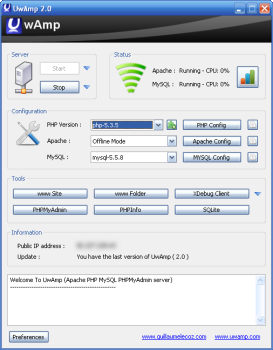
Voici à quoi ressemble UwAmp !
C’est comme ça qu’est né ZAMP ! Un clin d’œil à la fois à WAMP et à cette envie de repartir de zéro avec une approche plus intuitive. L'idée était, sans rien connaitre à la configuration d'Apache, de pouvoir créer une application que je pourrais utiliser pour le développement web.
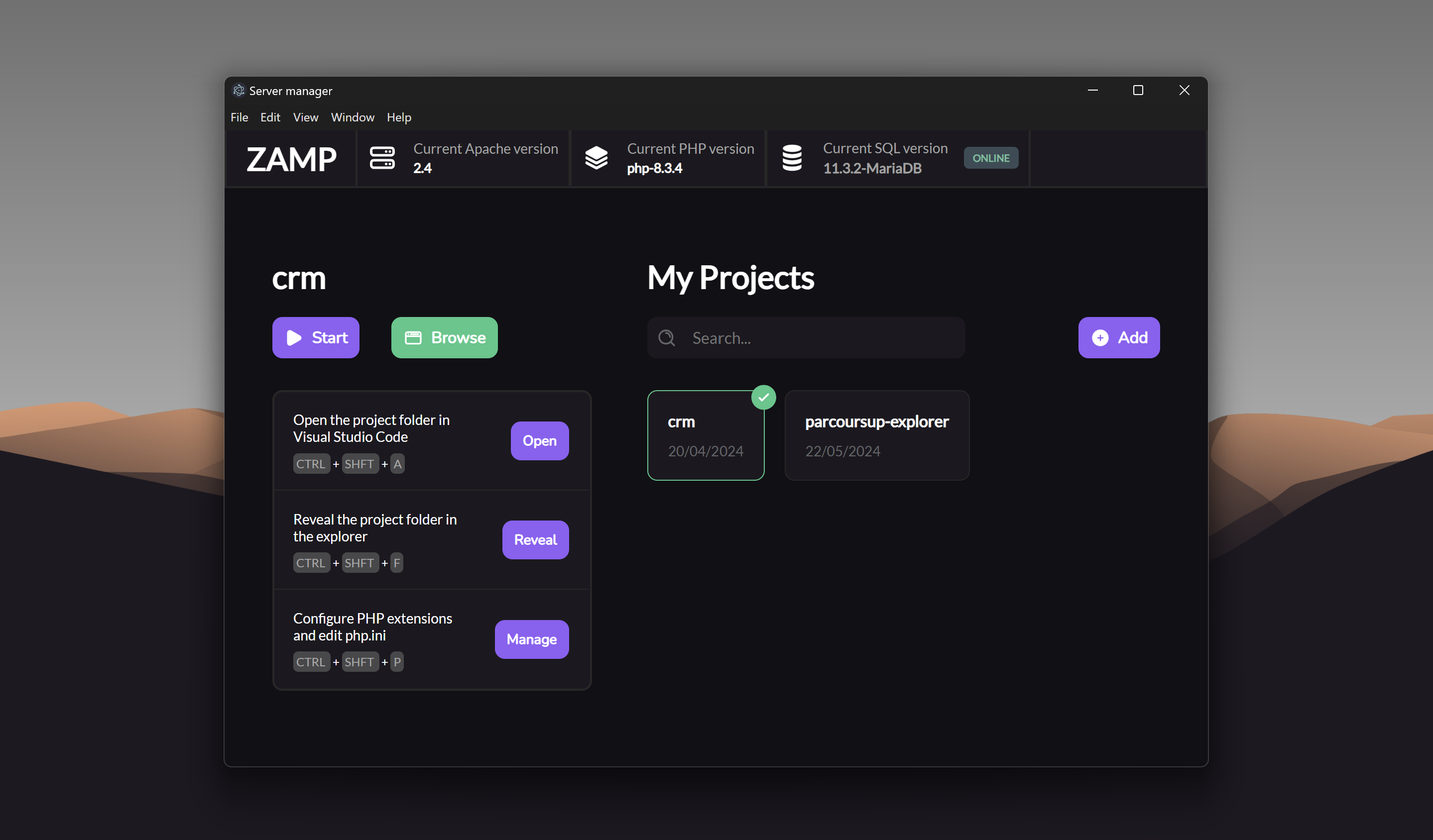
Pourquoi ZAMP ?
Le but était simple : recréer l’expérience UwAmp, mais en version moderne et automatisée.
ZAMP installe et gère un environnement local complet (Apache, MySQL, PHP) en un clic, sans qu’on ait à plonger dans les fichiers de configuration ou à ouvrir une console.
Conçu avec Electron, le programme repose sur une interface claire et épurée, pensée pour les développeurs qui veulent juste coder, pas passer leur temps à configurer leur environnement.
Ce que ZAMP change
L’un des points qui m’a toujours frustré avec les outils classiques, c’est la gestion des projets.
Souvent, tout est enfermé dans un unique dossier www, et il faut sans cesse déplacer ou copier ses fichiers.
Avec ZAMP, j’ai voulu casser cette contrainte : L’application modifie automatiquement la configuration d’Apache pour pointer vers n’importe quel dossier de projet.
Résultat : on peut passer d’un projet à l’autre en un clic, sans rien déplacer.
C’est fluide, rapide, et surtout beaucoup plus naturel.
Un gestionnaire d’extensions PHP intégré
Autre idée que j’avais en tête depuis le début : rendre la configuration de PHP visuelle.
Fini les lignes à commenter dans le php.ini, ZAMP propose une interface avec des cases à cocher pour activer ou désactiver les extensions PHP.
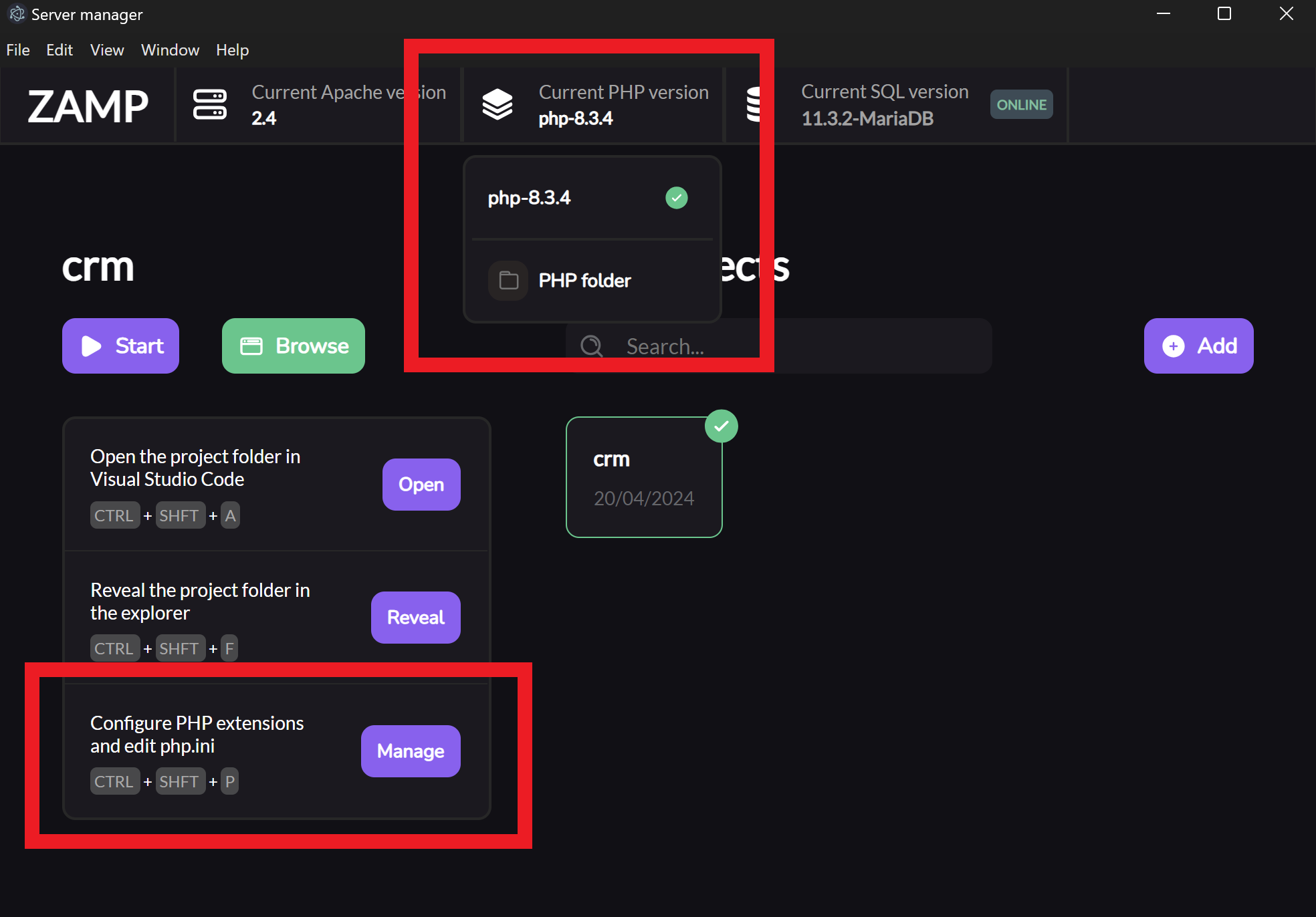
Une pile tout-en-un, sans prise de tête
ZAMP regroupe Apache, MySQL (via MariaDB) et PHP, avec un système de gestion entièrement automatisé.
Tout peut être démarré, arrêté ou reconfiguré depuis l’interface.
Parmi les fonctionnalités principales :
- Aucune configuration manuelle : installez, lancez, développez.
- Gestion des projets : basculez d’un projet à un autre sans toucher aux fichiers.
- Contrôle des versions PHP : téléchargez et changez de version facilement.
- Lanceur SQL : démarrez ou arrêtez MariaDB en un clic.
Pourquoi un poisson ? 🐟
Quand j’ai partagé ZAMP pour la première fois sur Reddit, un utilisateur a commenté que mon projet avait l’air un peu “fishy” (suspect, quoi).
Ça m’a fait rire, et plutôt que de le prendre mal, j’ai décidé d’en faire le symbole du projet.
Depuis, le logo de ZAMP est un poisson.
C’est devenu une sorte d’autodérision assumée : un petit clin d’œil à cette remarque, mais aussi à l’esprit open source. Je pense que c'est important de savoir ne pas se prendre trop au sérieux, même quand on développe des outils techniques.
Installation
ZAMP est pour l’instant disponible uniquement sur Windows.
Windows
- Téléchargez la dernière version depuis GitHub.
- Installez simplement le programme.
- Lancez ZAMP et commencez à développer !
En résumé
ZAMP, c’est ma manière de réconcilier simplicité et modernité dans le développement local.
Un outil pensé pour les développeurs qui aiment comprendre ce qu’ils font, mais qui n’ont pas envie de passer 30 minutes à lancer Apache et MariaDB sans que ça crash (car oui ça arrive souvent avec uWamp 👀).
Le projet est open source et encore en développement toute contribution est la bienvenue !
👉 Voir le projet sur GitHub